This feature is available in the PerfectApps On-Demand version.
PerfectApps includes Artificial Intelligence features to help you manage your system and design Apps and Reports more efficiently.
An AI Assistant button  can be found throughout the system. Click it to open the AI Assistant.
The AI Assistant can also be initiated in the Quick Help. To open Quick Help, click on the button normally found to the right of the page:  Click on the AI ChatBot option from the list.
|
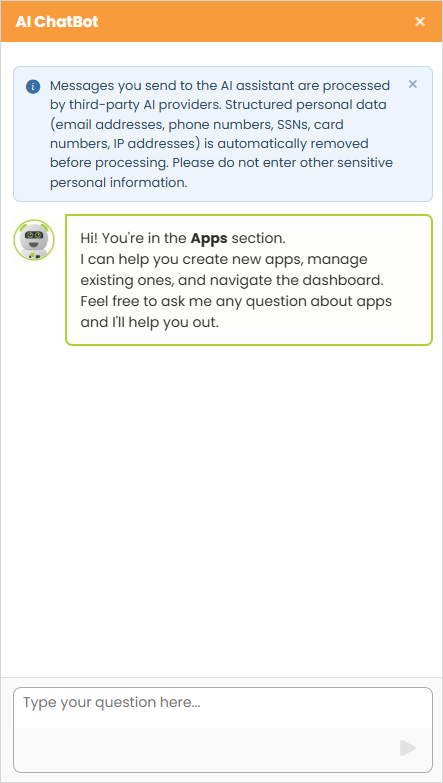
Messages you send to the AI assistant are processed by third-party AI providers. Structured personal data (email addresses, phone numbers, SSNs, card numbers, IP addresses) is automatically removed before processing. Please do not enter other sensitive personal information. |

Use the AI ChatBot interface to ask questions that help you navigate the workspaces and dashboards, or design your apps and reports.
|
AI Assistant (2 min) |
PerfectApps includes Artificial Intelligence features to help you manage your system and design Apps and Reports more efficiently. This tutorial walks through how to use AI for common tasks like asking questions, building Apps and generating Reports. |

See also: AI Connection Assistant
Return to: Resources