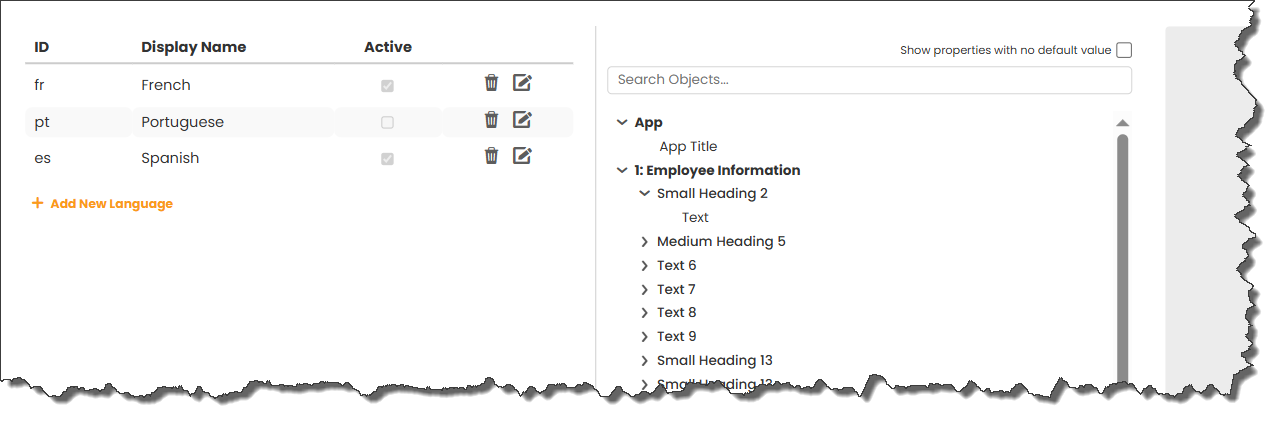
The objects panel lists all the objects that can have translated text. This will include the app title, text, heading objects, buttons and other objects too.
 |
Date Input and Date Calendar objects are automatically translated for each language. |
If input fields include values for a mandatory message, tooltip or accessibility description, they will also appear on the list.
|
Check the Show properties with no default value checkbox to see those properties even though they are empty. |
 |
Printing only supports the default language even if an alternative language is selected when the print function is initiated. |
There are three ways to manage the translations.
See: Manual Translations
See: Translations in the JSON File
See: Translations Using an AI Tool
Return to: Using Multiple Languages