PerfectApps supports multi-language capabilities.
The PerfectApps Multi-Language feature exceeds basic text translation, providing a seamless, localized experience. By simply adjusting a setting objects in the app - from labels and buttons to messages and tooltips - will appear in the user's preferred language. This commitment to accessibility improves collaboration, increases user satisfaction, and maximizes your app's full potential for all users, everywhere.
Multiple languages can be used in app design on an app-by-app basis, allowing the app user to select their preferred language from the available options.
Text labels, headings, mandatory messages, tooltips and accessibility descriptions are all supported.
In design mode, the app designer can choose which languages to include and can manually enter the text for the different languages or may use AI tools to translate text into the different languages.
Language options are managed from the app properties panel in the Language section.
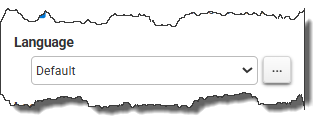
Click the ellipsis button  to open the Multi-language Management window.
Return to: Designing an App