You can open an app instance directly from a report. This becomes especially powerful in combination with drill-down capabilities. Combined with drill-down filters, this turns a report into a fully interactive portal.
 |
A Full User or Basic User license is required to view a report. |
An app instance can be opened by clicking a button within a column of a Data List. In the Data List Properties, add a column to the list and select the Meta - Link field. At report run time, the link will appear as a button. If the Meta - Link option is not available in the column list, then return to the data source and select it from the list of reporting fields.
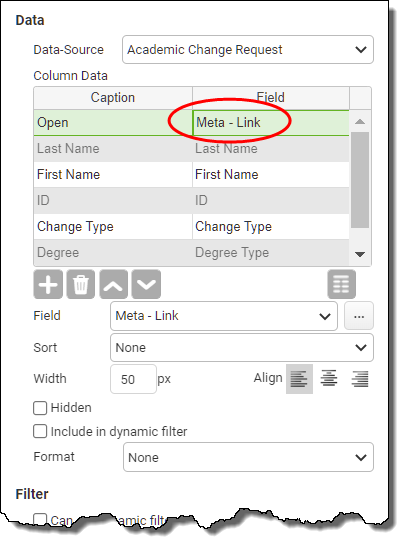
The Meta - Link column in the report's Data List will be displayed as a button that, when clicked, opens the app instance that the row refers to.
See also: Adding Behaviors to Reports
Return to: Adding Objects to Your Report, Designing a Report